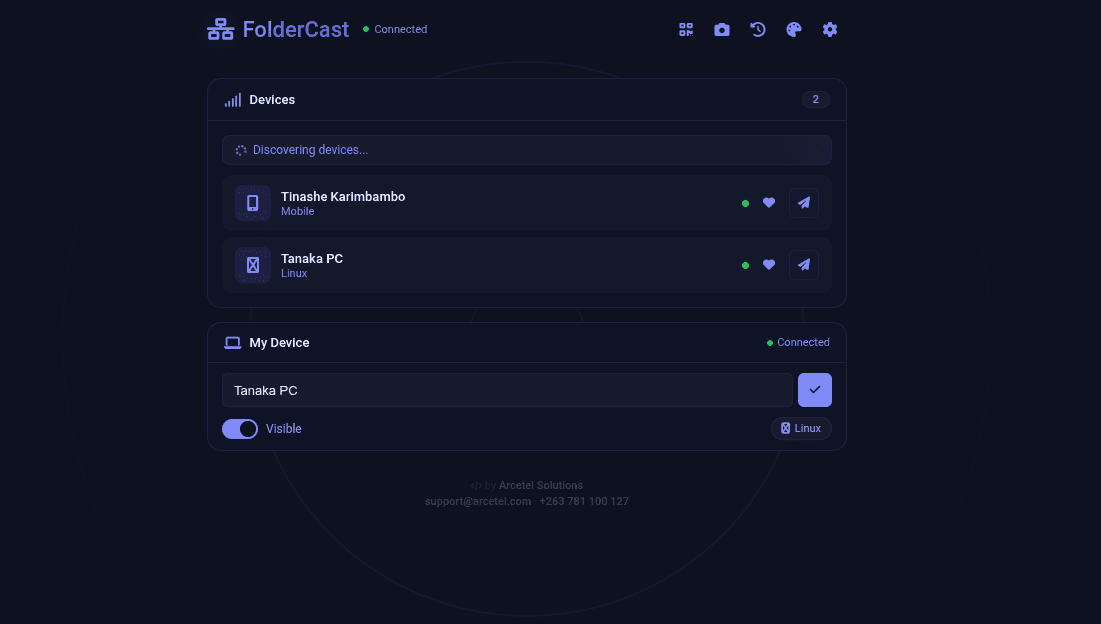
FolderCast — LAN File Sharing App
FolderCast is a browser-based local network file sharing application that lets any device on the same WiFi or LAN send and receive files instantly — no cables, no cloud, no accounts.
Built with Express, Socket.IO, Multer, and vanilla JavaScript, it runs as a single Node.js server that orchestrates real-time peer discovery, file offer/accept handshakes, and temporary file storage. The front end is a single-page app with a dark polished UI, 8 color themes, and responsive layout that fits a desktop viewport.
Core Features
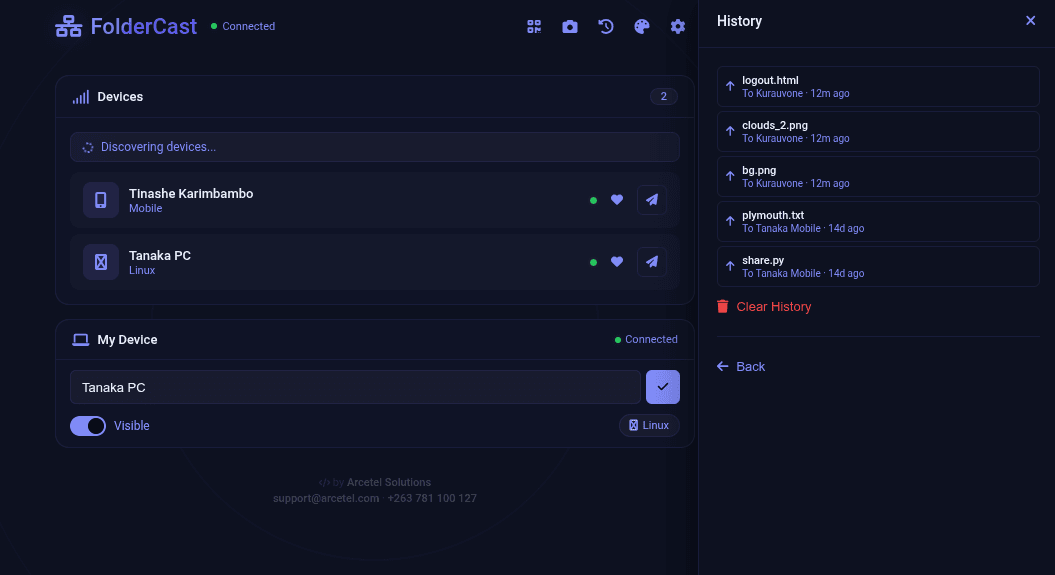
- Peer discovery — All connected devices appear in a live list. Click any device to select it as a recipient.
- Sequential multi-file sending — Select multiple files or an entire folder. Files are sent one by one (not zipped), each requiring an accept from the recipient. A progress bar tracks n of total.
- Broadcast mode — Send files to every visible device at once. The first to accept triggers the upload.
- Drag-and-drop — Drop files directly onto a device card in the peer list to start sending.
- Real-time notifications — Incoming file offers pop up at the top-right with Accept / Decline buttons. Ready-to-download notifications appear once the upload finishes.
- Media preview — Audio and video files show an inline player with play/pause, volume slider, mute, loop toggle, and speed control (0.25x – 2x).
- QR pairing — Each device gets a QR code. Scanning it from another device connects instantly by passing the device ID in the URL.
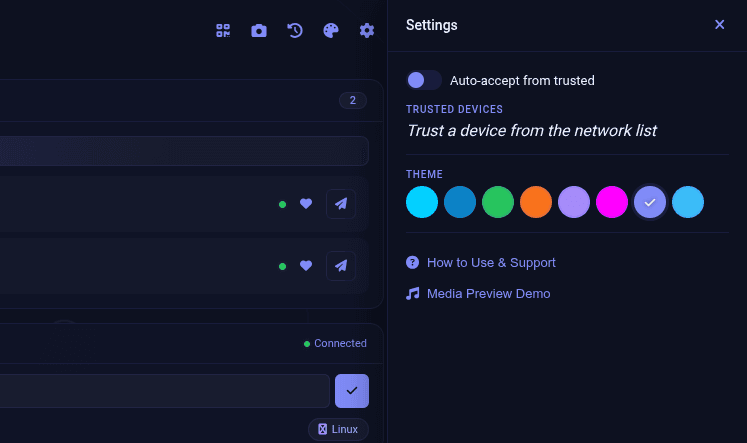
- Trusted devices — Click the heart icon on any peer to trust it. Enable auto-accept in Settings to skip the Accept/Decline prompt for trusted senders.
- 8 color themes — Dark, Light, Forest, Sunset, Purple, Cyberpunk, Midnight, and Ocean. Choice is saved to localStorage.
- Transfer history — Every sent and received file is logged locally with timestamps (last 50 entries).
- Device authentication (optional) — When served over HTTPS or localhost, each device cryptographically signs its registration using ECDSA P-256 keys generated in-browser. On plain HTTP LAN, it falls back gracefully with no crypto.
- Auto-cleanup — Uploaded files expire after 10 minutes. Temp files older than 1 hour are purged by the server.
Architecture
- Server (
server.js) — Express + Socket.IO + Multer. Handles registration (with optional crypto verification), file upload to a temp directory, file download via tokenized URLs, and real-time Socket.IO events for peer list sync, file offers, accept/decline, and progress broadcasting. - Client (
public/) — Single HTML file with embedded CSS and JS. All UI logic, WebSocket events, media preview, drag-and-drop, QR generation/scanning, theme switching, and localStorage persistence. - Security model — Zero-trust device registration with 30-second replay protection. Cryptographic identity proof using ECDSA P-256 (when available). No data ever leaves the local network.
Constraints
- 500 MB per file
- All devices must be on the same LAN / subnet
- Requires a modern browser with File API support
- Files are temporary (10-minute expiry)
Stack
Node.js, Express, Socket.IO, Multer, Archiver, Font Awesome, QRCode.js, jsQR